
Learn Python Coding - Mimo
Mimo: Learn to CodeEducation
4.720.47K Reviews
- Version
- 9.26
- Installs
- 10.00M
- Age Rating
- Everyone
Screenshots
Our Review of Learn Python Coding - Mimo
 Analysis by Appyee
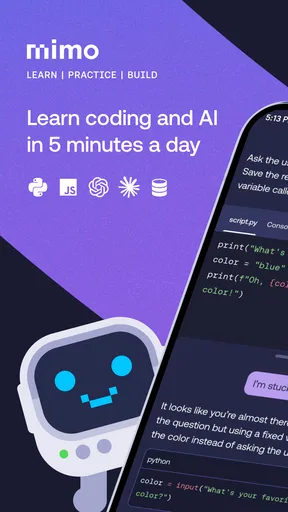
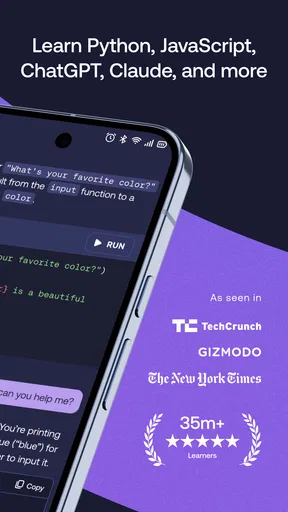
I approach any app that asks me to build a daily learning habit with two questions: does it help me understand the subject, and does it leave me in control of my time and choices? Mimo: Learn Coding/Programming is an education app from Mimo: Learn to Code, built around short, interactive practice in Python, JavaScript, and HTML. I find that format inviting when I want a gentle start rather than a long lesson, though a friendly interface is only one part of deciding whether a learning app deserves a place on my phone.
A low-pressure way to begin
Mimo is free to download and is rated for Everyone, which makes it approachable for people exploring coding for the first time. It has a 4.7 average from around 700,000 ratings, and more than 10 million installs. Those figures suggest it has reached a broad audience, but I would treat popularity as context, not proof that its teaching style will suit every learner. The developer is Mimo: Learn to Code, and the current version is 9.0.
The app’s short-session approach is useful if a blank code editor feels intimidating. Instead of needing to set aside a full evening, I can use a spare moment to work through a small exercise and see how a programming idea behaves. That makes it a plausible first step for someone curious about code but unsure whether they want to commit to a course, a book, or a more demanding project.
There is also a practical distinction between trying an app and committing to its full offering. Mimo is free, while in-app purchases range from $9.99 to $299.99 per item. I would start by checking what the free experience lets me do before paying for anything, then decide whether the available lessons and learning pace are enough for my goal. The range makes it especially sensible to review the purchase details shown in the app before confirming a transaction.
What I would check before settling in
Learning apps can involve accounts, progress tracking, notifications, and purchases, so I make a point of reviewing the choices presented during setup rather than tapping through automatically. I also check the app’s permission prompts on my device and consider whether each requested access makes sense for the task I’m doing. A coding lesson should be the focus; I don’t grant access casually just because an app asks.
My approach is to keep the first session simple: choose one language, try a few lessons, and notice whether I understand the feedback without needing to guess what the app expects. If an account is requested, I consider whether I’m comfortable creating one and look for the account and privacy controls available in the app and on my device. For purchases, I use the platform’s confirmation steps and avoid treating a payment prompt as part of the lesson itself.
People vary in how much personal information they are comfortable sharing, and the right choice is individual. I would read the privacy information and account options available to me before building a long-term routine. If I’m using a shared device, I’m also careful about saved account access and make sure I know how to sign out or remove my profile when appropriate. That small check is worthwhile for any learning service, particularly one I may open often.
Getting Started with Mimo
First things first, downloading Mimo was a breeze. Available on both Android and iOS, it’s all about accessibility. Once you open the app, you’re greeted with a sleek, user-friendly interface. It’s colorful, but not overwhelming, which is a win in my book.
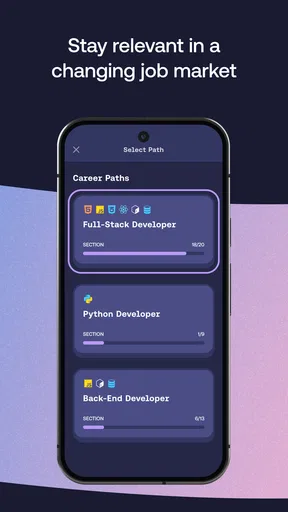
After a quick sign-up process, you’re prompted to choose your learning path. Whether you’re into web development, Python, SQL, or even just dabbling in HTML & CSS, Mimo has got you covered. I decided to dive into Python because, well, why not?
The Learning Experience
The lessons are bite-sized, which is perfect if you’re juggling a busy schedule. Each module is designed to fit into a coffee break, making it easy to learn on the go. I found myself sneaking in a lesson or two during my commute, and it felt productive instead of overwhelming.
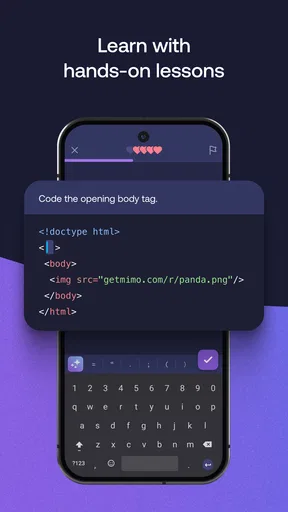
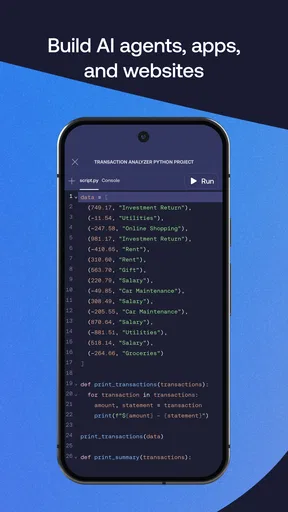
Mimo uses a hands-on approach. You’re not just passively reading or watching videos; you’re actually coding. The interactive exercises and quizzes keep you engaged, and the instant feedback is incredibly helpful. It’s like having a mini coding mentor in your pocket.
Turning short lessons into lasting understanding
Short lessons are easiest to use well when I give them a small purpose. If I’m learning Python, for example, I might take a commute session to focus on one unfamiliar idea, then spend a few minutes later trying to explain it in my own words. That second step is useful because recognizing the right answer in an exercise is not always the same as being able to write code independently.
A realistic routine could be a lesson during a morning wait, followed by a quick review at home when I have a little more attention to spare. I would avoid starting a new topic when I’m about to get off a bus or walk into an appointment; interruptions make it easier to rush through feedback without thinking. The app’s compact format helps with consistency, but I still need to choose moments when I can concentrate.
One useful habit is to keep a note of concepts that caused confusion, rather than simply repeating a lesson until the answers feel familiar. Later, I can return to that idea and ask what changed when I adjusted a line or chose a different response. This turns quick practice into a record of questions to investigate, and it helps me notice whether I’m understanding a rule or only remembering the exercise’s pattern.
Where a mobile course helps—and where it stops
Compared with a long video course, Mimo’s interactive format asks me to respond instead of watching someone else type. That can make a basic concept feel more immediate, especially when I have only a few minutes. Compared with a reference book or documentation, however, a guided lesson is less suited to looking up a precise detail while I work on a project. I see it as a structured starting point, not a substitute for every other learning tool.
It also differs from opening a full coding environment on a computer. A phone is convenient for a quick exercise, but a small screen is not where I would want to manage a larger project, compare several files, or carefully debug a complicated problem. If my aim is to build something substantial, I would pair short app lessons with time at a computer and practice that lets me work through a task from beginning to end.
That distinction matters for expectations. Mimo can help me get comfortable with programming ideas and build a habit of practice; I would not assume that completing lessons alone proves I can independently design, test, and maintain an application. A learner preparing for a specific job or course should check the required skills and use additional resources that include longer projects, explanations, and opportunities to troubleshoot unfamiliar code.
Choosing a path without trying to learn everything
When several subjects sound appealing, it is tempting to switch paths as soon as one lesson becomes difficult. I find it more useful to choose based on a small real goal. Someone interested in how web pages are put together might begin with HTML, while a person curious about general programming could try Python. JavaScript is another available direction. Picking one starting point makes it easier to judge whether the teaching style works before spreading attention across several topics.
The best choice is not necessarily the language that sounds most impressive. I would ask what I want to understand or make, how much time I can realistically give it, and whether I want to explore a beginner concept or prepare for a more demanding course. If my goal is simply to see whether coding appeals to me, a short, guided path is a reasonable experiment. If I already have a clear technical target, I would compare the lessons with that target before treating the app as my main study plan.
Features Worth Mentioning
One of the standout features is the community aspect. Mimo connects you with other learners, so you’re not alone on your coding journey. The feeling of being part of a community is motivating, especially when you hit those tricky parts.
Then there’s the streak feature. It’s a simple yet effective way to keep you coming back. There’s something oddly satisfying about maintaining a streak, and Mimo leverages that psychological boost to keep you learning consistently.
I like streaks best as reminders, not as a measure of ability. A regular practice cue can help me return after a busy day, but keeping a streak alive is not the same as understanding a concept. If I am tired, I would rather pause and come back with attention than rush through an exercise just to preserve a number. That small boundary helps the habit serve the learning instead of turning learning into another daily obligation.
The community can be encouraging, but I would use it thoughtfully. Other learners can offer perspective or help me feel less alone when I get stuck; their answers still need to be checked against what I am learning. When a discussion leaves me uncertain, I try to reproduce the issue in the lesson and work out what the code is doing rather than copying a solution without understanding it. That approach turns social encouragement into a prompt for active practice.
"I never thought I’d be excited to learn coding, but here we are."
Who is likely to get the most from it
I would recommend giving Mimo a try if you are new to coding, prefer guided exercises, and want a low-friction way to explore Python, JavaScript, or HTML. It also suits someone who already has a busy schedule and benefits from breaking study into short sessions. The free starting point makes it easier to test whether the format holds your attention before deciding whether any paid content is worthwhile.
I would be more cautious if you learn best through long explanations, need a complete project-based curriculum, or want an authoritative reference for day-to-day development. A book, documentation, classroom course, or desktop coding environment may be a better main tool in those cases. Mimo can still support practice, but it should not be expected to replace the kind of sustained work those alternatives provide.
For a parent considering it for a younger learner, the Everyone age rating is a useful starting point, not a substitute for checking the app together. I would look at the account setup, visible community areas, notifications, and purchase prompts with the child, and agree on how the device will be used. The most helpful choice depends on the learner’s maturity and comfort with app-based accounts, not just the age label.
My cautious verdict
Overall, Mimo: Learn Coding/Programming is a fantastic tool for anyone looking to dip their toes into the coding world. It’s approachable, engaging, and genuinely fun. Plus, it’s constantly updated with new content, so you’re always learning something fresh.
Whether you’re a complete beginner or someone looking to brush up on your skills, Mimo offers a comprehensive learning experience. So, if you’re ready to start your coding adventure, give Mimo a try. You might just surprise yourself with how much you can learn.
My recommendation is to treat it as a practical first step: pick one path, try the lessons at a pace you can sustain, and judge progress by what you can explain and do—not by a streak or the number of sessions completed. Before settling into regular use, review the account, privacy, permission, and purchase choices that appear on your device. That gives me a clearer basis for deciding whether the app’s learning style and controls fit my needs.
Verdict
Strengths of Learn Python Coding - Mimo
- User-friendly interface simplifies learning.
- Offers bite-sized lessons for quick learning.
- Covers multiple programming languages.
- Interactive exercises enhance understanding.
- Progress tracking keeps motivation high.
Limitations of Learn Python Coding - Mimo
- Limited free content available.
- In-app purchases can be pricey.
- Requires internet for full functionality.
- Some advanced topics lack depth.
- Occasional bugs disrupt learning flow.
Similar Picks in This Category
View All
Duolingo: Language Lessons
Duolingo4.7

Google Classroom
Google LLC2.8

Unacademy: Learn & Crack Exams
Unacademy3.2

Bible App for Kids
Life.Church4.4

Cake - Learn English & Korean
Cake Corp.4.7

Brainly: AI Homework Helper
Brainly4.5
Frequently Asked Questions
What is Mimo and how can it help me learn coding?
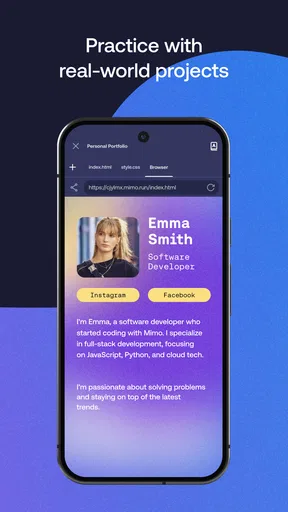
Mimo is an educational app designed to teach coding and programming in a fun and interactive way. It offers bite-sized lessons on various programming languages such as Python, JavaScript, and HTML/CSS. The app uses real-world projects to help users apply their learning, making it ideal for beginners looking to enter the tech world.
Is Mimo suitable for complete beginners in coding?
Yes, Mimo is perfect for beginners. It starts with the basics of coding, gradually introducing more complex concepts as you progress. The interactive lessons and projects are designed to build your confidence and understanding from the ground up, making it accessible even if you have no prior experience.
What devices support the Mimo app?
Mimo is available for both Android and iOS devices. You can download it from the Google Play Store or the Apple App Store. The app is optimized for mobile use, allowing you to learn coding on the go, whether you’re using a smartphone or a tablet.
Does Mimo offer a free version, or is it subscription-based?
Mimo offers both free and subscription-based options. The free version provides access to basic lessons and features, while the premium subscription unlocks advanced courses, projects, and a more personalized learning experience. The subscription can be paid monthly or annually, depending on your preference.
How does Mimo compare to other coding learning platforms?
Mimo stands out for its user-friendly interface and gamified learning approach. Unlike some platforms that focus heavily on text-based tutorials, Mimo uses interactive exercises and real-world projects to engage users. This makes it a great option for those who prefer a hands-on, practical approach to learning coding.
